On screen
A full-screen dashboard while it runs, then a summary that stays put when it finishes.
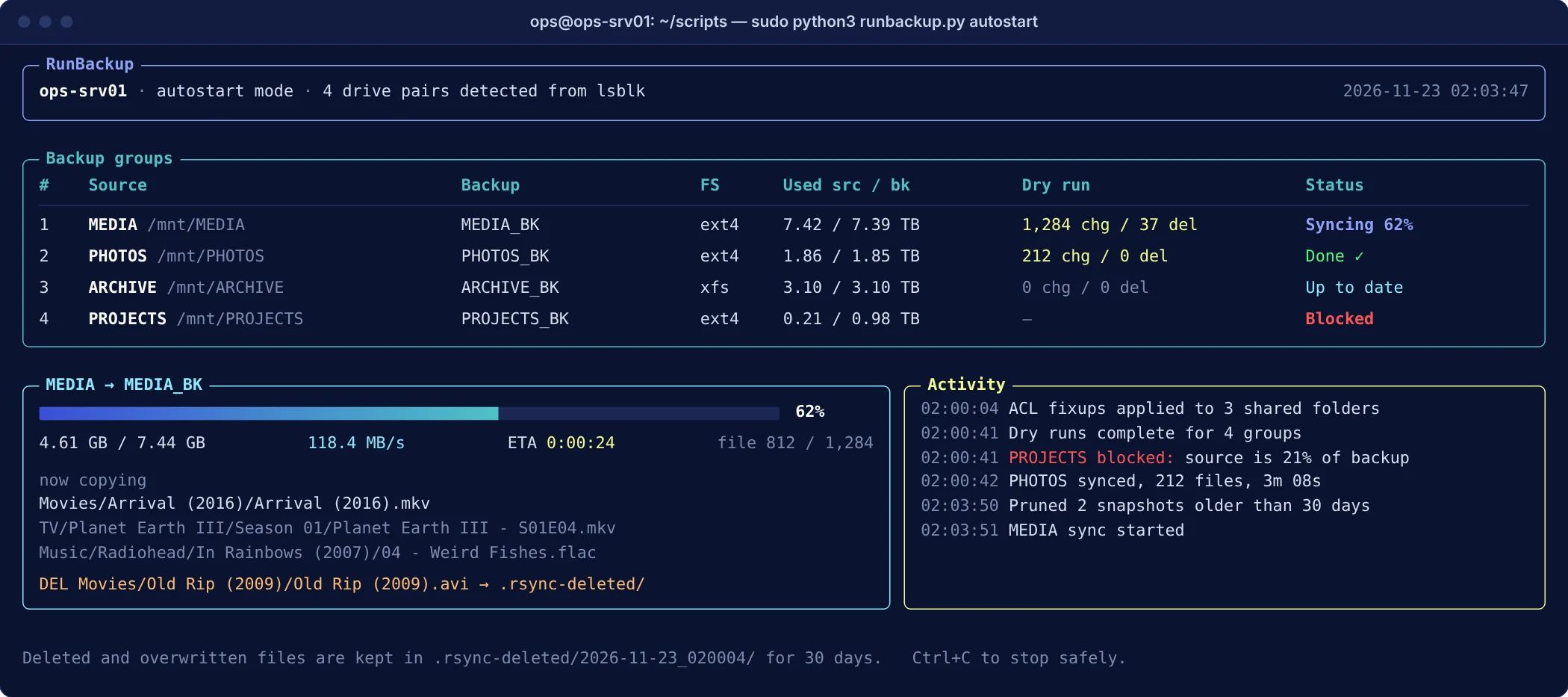
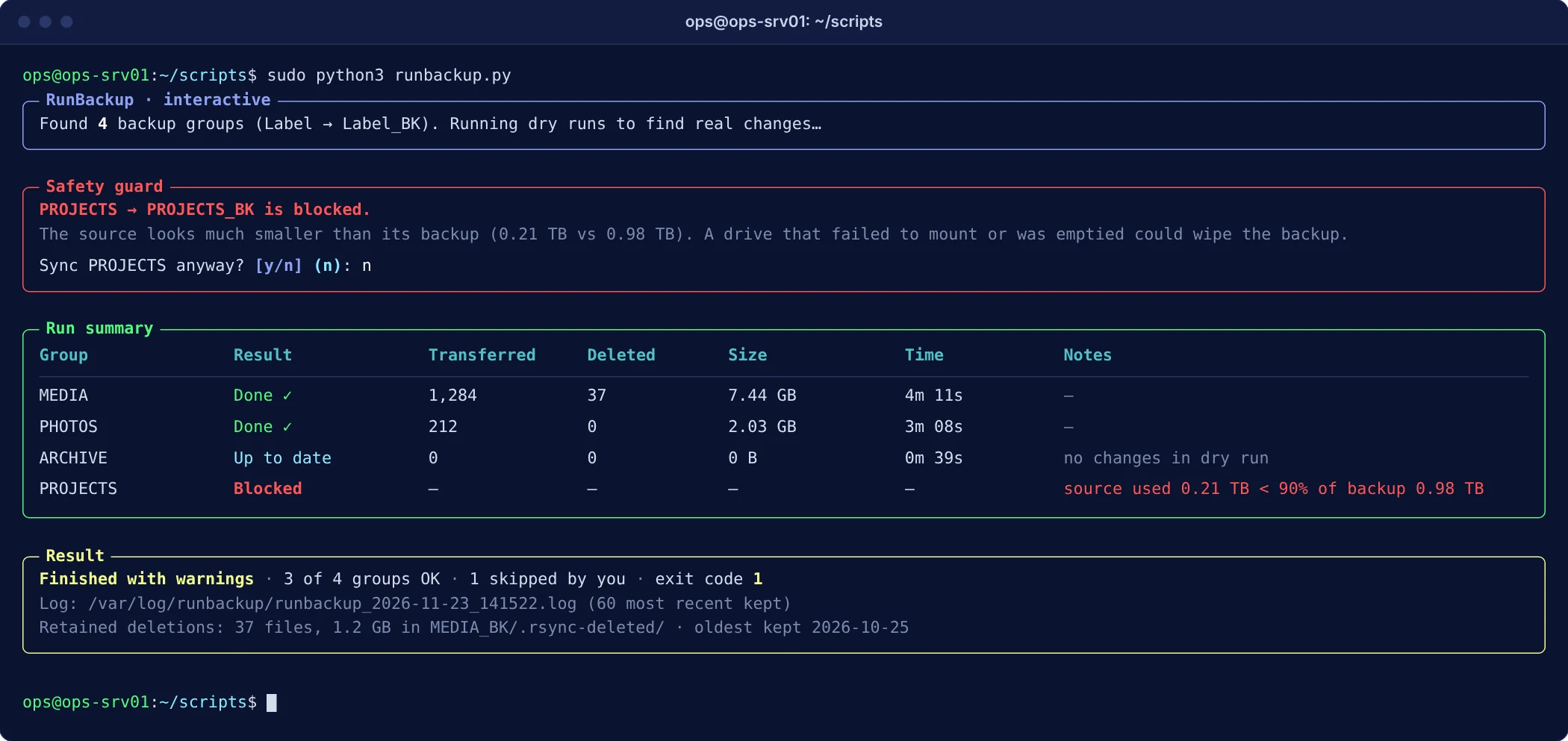
Example screens with sample drive names.
Drive backups that refuse to destroy your backup.
RunBackup mirrors every source drive on a Linux server to its paired backup drive. It decides what to copy from real file changes, checks each pair for signs of trouble before writing anything, and keeps whatever it removes for 30 days. One command, run by hand or on a schedule.
Every run follows the same six steps, for every drive pair it finds.
Reads drives from lsblk and pairs each label with its _BK twin.
Applies owner and ACL fixups to shared source folders.
rsync counts real changes and deletions per pair.
Blocks any pair that looks empty, shrunk or delete-heavy.
Copies changes; removed files move to a dated holding folder.
Prunes old holdings, writes the log and prints a summary.
A full-screen dashboard while it runs, then a summary that stays put when it finishes.
Example screens with sample drive names.
A drive that failed to mount looks exactly like a drive that was wiped. Mirroring either one would erase the backup, so RunBackup checks first.
A source with almost nothing on it, paired with a full backup, is treated as a mount failure rather than a real change.
If the source uses less than 90% of the space its backup uses, the pair is blocked until someone confirms it.
A run that would delete more than 1,000 files from the backup is stopped before it starts.
In interactive mode you are asked about each blocked pair. In autostart mode the pair is skipped and the run exits with code 1, so a scheduler or monitor can flag it.
Run it interactively to watch and answer prompts, or add autostart for scheduled, hands-off runs.
# interactive
sudo python3 runbackup.py

# unattended, e.g. from cron or a timer
sudo python3 runbackup.py autostart
rich packagelsblksetfacl) for permission fixupsLABEL and LABEL_BKAll settings live in one block at the top of the script.
| Setting | Default | What it does |
|---|---|---|
BACKUP_SUFFIX | "_BK" | Suffix that marks a backup drive. A drive labelled MEDIA is paired with MEDIA_BK. |
DELETED_DIR_NAME | ".rsync-deleted" | Folder on each backup drive that receives deleted and overwritten files. |
DELETED_RETENTION_DAYS | 30 | Days to keep those files before they are pruned. |
SHRINK_GUARD_RATIO | 0.90 | Block a pair if the source uses less than this share of the backup’s used space. |
MAX_DELETES | 1000 | Block a pair if one run would delete more files than this. |
PRESERVE_ACLS_XATTRS | True | Copy POSIX ACLs and extended attributes. Needs ext4, xfs or btrfs on both sides; set False for NTFS or exFAT backups. |
ENFORCE_OWNERSHIP | False | Force one owner, group and mode set on the backup copy instead of copying them faithfully. |
ENFORCE_USER / GROUP / CHMOD | None / "ServerOwner" / "D2775,F664" | Used only when ownership is enforced. None means the user who ran sudo. |
EXCLUDES | ["/lost+found/", "/.rsync-deleted/"] | Paths never copied, and protected from deletion on the backup side. |
PERMISSION_FIXUPS | list of folders | Shared folders whose owner and ACLs are corrected on the source just before syncing, so the backup gets the same permissions in the same run. |
LOG_DIR | "/var/log/runbackup" | Where each run’s log is written. |
LOG_KEEP | 60 | How many past logs to keep. |
LOG_FILE_NAMES | True | Record every copied and deleted file name in the log. |
Each pair ends the run with one of these.
| Result | Meaning |
|---|---|
| Synced | Dry run found no changes, or the sync finished cleanly. |
| Synced (warnings) | rsync returned code 24: some files vanished while copying. Usually harmless on a live drive. |
| Partial | rsync returned code 23: some files could not be copied. Check the log for names. |
| Blocked | A safety guard tripped. Interactive runs ask you; autostart skips the pair. |
| Skipped | You declined a blocked pair, or it was skipped in autostart. |
| Check failed / Failed | The dry run or the sync itself errored. Details are in the log. |
| Code | Meaning |
|---|---|
0 | Every pair synced or was already up to date. |
1 | At least one pair failed, was blocked or was skipped. |
Every run writes /var/log/runbackup/runbackup-<date_time>.log, listing each copied and deleted file. The 60 most recent logs are kept.
The dry run reads every file’s details on every run, so the check phase can take a few minutes on big drives. In exchange it never misses a change.
When moving from forced ownership to faithful copies, the first run updates owner and mode details across the whole backup. No file contents are recopied, but it takes a while.
If a backup drive is NTFS or exFAT, set PRESERVE_ACLS_XATTRS = False, since those filesystems cannot hold Linux permissions.