The console
The tree on the left, whatever you selected on the right. Here, a server's NetOps dashboard with live charts and two warnings that need attention.
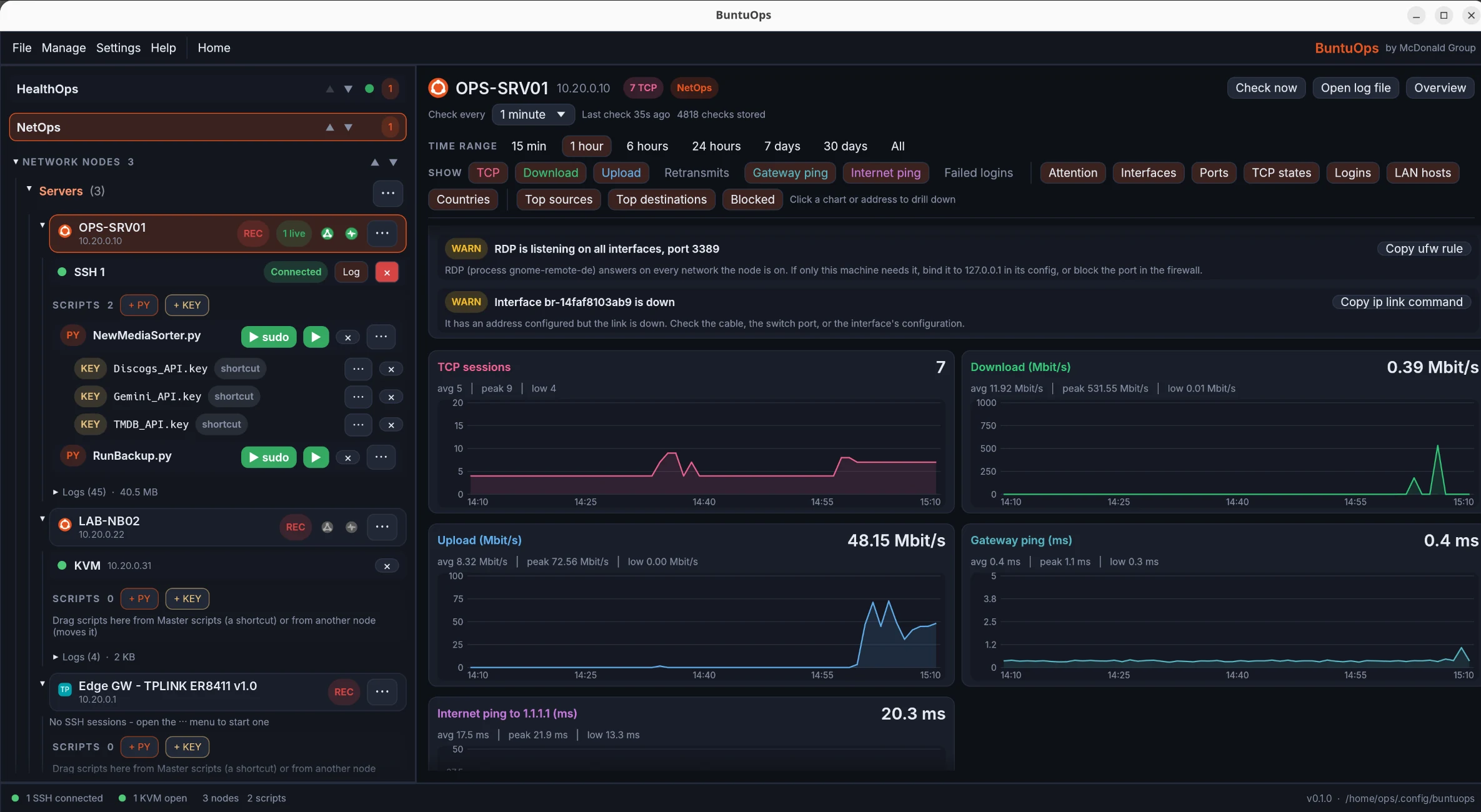
One window for every server you run.
BuntuOps is a native desktop console for looking after a fleet of Linux servers and network appliances. SSH sessions, reusable scripts and their keys, out-of-band KVM, health monitoring and a full network view all hang off a single tree, so the server you are looking at is always the one you are acting on.
The tree on the left, whatever you selected on the right. Here, a server's NetOps dashboard with live charts and two warnings that need attention.
Three top-level sections, in whatever order you like. The order you set is kept between launches.
Every server and appliance, organised into groups you can rename, delete or reorder.
One copy of each Python script and each key, kept in its own section. Nodes hold shortcuts to them, so an edit lands everywhere at once.
Write, version and run Python on any node without leaving the console.
Before a script runs, its key files are copied into the same folder on the node. When the SSH session closes, every copied script and key is shredded and checked gone before the connection drops.
With no connection left to clean up over, copied files stay in the node's temporary folder until the node clears it.
Open as many interactive sessions per node as you need, each listed under its node, and switch between them without disconnecting.
For when SSH isn't an option. Enable KVM on a node, enter the JetKVM's address and credentials, and its console opens inside the BuntuOps window, already signed in.
Turn on health checks for any server with SSH and BuntuOps polls it on the interval you choose.
CPU, memory, session counts and connected users on every check, with every result written to a log.
A status icon beside each node shows at a glance whether HealthOps is on for it.
Time ranges from 15 minutes to all history, filtered to one node or several combined.
A full network operations view for each server, with actions where the data calls for them.
Your whole setup travels as one file.